


FilmoraHD - AI Video Creator
4.6210.00 Reviews
App Specs
- Version
- 13.8.71
- Updated On
- License
- Free
- Downloads
- 1,000,000+
- Developer
- Shenzhen Wondershare Software Co., Ltd.
- Categories
- Video Players & Editors
- Platform
- Android, iOS
Screenshots
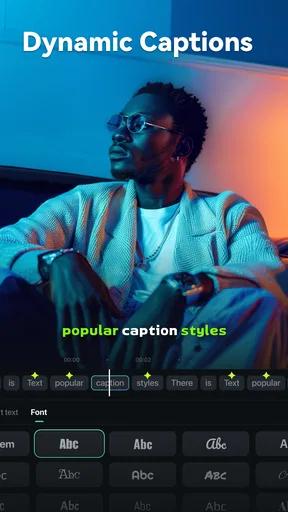
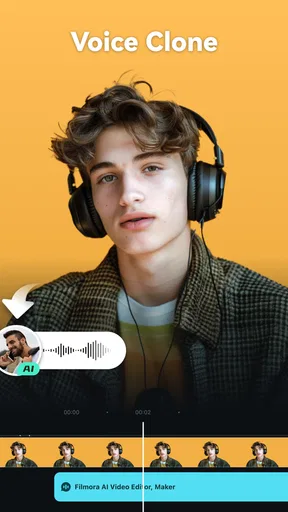
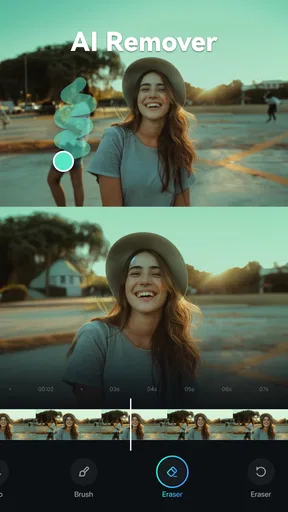
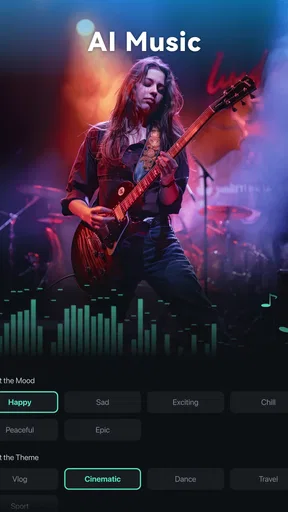
 Analysis by AppCompare
I judge a mobile video editor less by how many effects it can show me and more by whether it helps me finish a clear, watchable clip without turning a small task into a long editing session. That is the lens I’d use for FilmoraHD - AI Video Creator: its appeal is the promise of letting an automatic edit do some of the arranging, while leaving room to shape the result myself. I’d treat that as a useful starting point, not a substitute for deciding what the video should say.
What automatic editing is good for
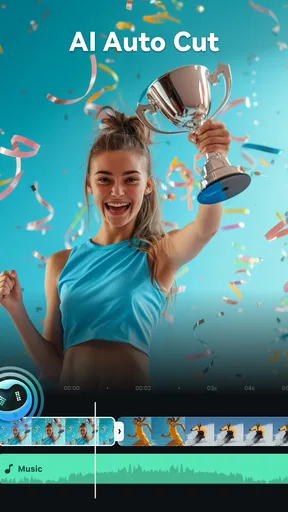
The standout idea is an AI-assisted editing workflow that can trim and arrange clips, add transitions, and pair music with the mood of a video. In practical terms, that can take away some of the repetitive first-pass work: sorting through a handful of moments and turning them into something with a beginning and an end. For a casual creator, that is often the part that makes a project feel daunting.
Automatic choices are not automatically the right choices, though. A clip that looks expendable to an editing system may contain the reaction or detail that matters to you. I’d review the assembled sequence rather than export it on trust, especially if the video is meant to preserve a personal moment or explain something clearly. The feature is most useful when I want momentum; my own judgment still needs to decide what stays.
A sensible first-pass workflow
I’d begin with a small, purposeful selection rather than throwing every recording from a day into one edit. A few clips that share a subject or mood give the automatic arrangement a clearer job and make the result easier to assess. After the first pass, I’d watch once for story and pacing, then make a second pass for details such as awkward starts, endings that linger, or a transition that distracts from the shot.
That two-pass habit is a practical way to use automation without surrendering control. First ask, “Does this sequence make sense?” Then ask, “Does each clip deserve its place?” It is also worth checking the music against the actual images instead of assuming that a mood match will fit every beat. A soundtrack can help unify unrelated shots, but it can also make a quiet, natural moment feel more dramatic than intended.
Where it fits into everyday creating
For example, imagine I’ve recorded a few short scenes while cooking: ingredients on the counter, a close-up of something sizzling, and the finished plate. I could use an automatic first pass to get those pieces into a compact sequence, then trim anything that repeats the same view and leave enough time for the finished dish to register. That is a better fit than asking the app to invent a story from a large, mixed camera roll.
The same approach can work for a short trip recap, a hobby update, or a quick clip for friends, where the goal is to make a few moments pleasant to watch rather than produce a tightly scripted film. If I were documenting instructions, interviewing someone, or building a video where every beat and word must land precisely, I’d be more cautious. There, manual timing and careful review matter more than getting to a draft quickly.
Worth Reading Before You Choose

EA SPORTS FC Mobile 26 Is a Bigger Football Game, but It Takes Time

Flipboard Shows What News Apps Must Do Beyond the Feed

Switching to Android Auto Means Rethinking Your Driving Routine

Google Calendar Makes a Crowded Week Easier to Manage

Ludo King Makes the Most of the Minutes Between Plans

Baby Panda World Brings Quick Play to Modern Phones, but Its Game Library Feels Busy
Getting Started with Ease
Right from the get-go, FilmoraHD makes you feel like a pro. The installation process is as seamless as it gets. No lengthy setups or confusing instructions. Just download, install, and you're ready to roll. Once you open the app, you're greeted with a clean and intuitive interface that screams simplicity. It’s like the app knows you’re not here to mess around with complicated settings.
User-Friendly Interface
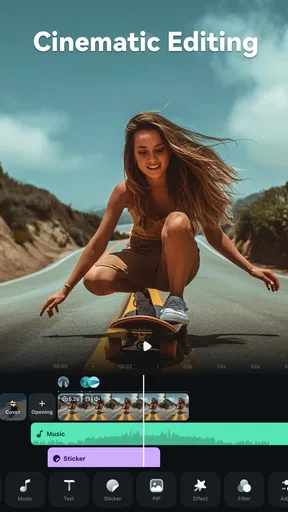
The interface is divided into three main sections: the media library, the timeline, and the preview window. It’s all drag-and-drop, which I absolutely love. You can easily import your clips, drag them onto the timeline, and start editing. The timeline is super smooth and responsive, making it easy to cut, trim, and rearrange clips. If you're like me and get overwhelmed by too many buttons, you'll appreciate how everything is neatly organized.
That layout also gives me a useful way to check an automatic edit: the preview helps me judge how the sequence feels, while the timeline gives me a place to notice ordering and clip length. I’d use the preview for the overall impression, then inspect the timeline when something feels rushed or oddly spaced. It’s a simple distinction, but it keeps me from changing shots at random when the real problem is pacing.
AI-Powered Features
This is where the magic happens. The AI features are what truly sets FilmoraHD apart. The app offers an AI-driven auto-editing mode that can automatically trim and arrange your clips, add transitions, and match the music to your video’s mood. It’s like having your own personal editor on standby. I tested it with a bunch of random clips, and the end result was surprisingly coherent and professional looking.
Advanced Editing Tools
If you prefer more control, FilmoraHD doesn’t disappoint. You have access to a plethora of advanced editing tools. From color correction to audio mixing, you can tweak to your heart’s content. The app also includes a variety of filters and effects, perfect for adding that extra flair to your videos. And the best part? You don’t need to be a tech wizard to use them. The learning curve is practically non-existent.
Even with those controls available, I’d resist polishing every shot before the sequence works. A more efficient order is to settle the clip selection and pacing first, then use color or audio adjustments to make the chosen material feel consistent. That avoids spending time refining a shot I later remove. Effects are most convincing when they support the footage rather than compete with it, so I’d apply them selectively instead of treating every clip.
Performance and Compatibility
Another impressive aspect of FilmoraHD is its performance. Even on my slightly outdated device, the app runs smoothly without any noticeable lag. It efficiently utilizes your system's resources to ensure that editing is as fluid as possible. Plus, it supports a wide range of formats, so you don’t have to worry about compatibility issues. Whether you’re working with 4K footage or something more modest, FilmoraHD handles it all like a champ.
For a real project, I’d still make a quick check before committing to a long edit: bring in a representative clip, preview it, and make sure the material behaves as expected on my device. That small test is particularly useful if I’m combining footage from different sources or working with a project I need to finish on a schedule. Mobile editing is convenient, but a busy timeline and high-resolution clips can make any phone workflow less comfortable than a desktop setup.
Sharing and Exporting
Once your masterpiece is ready, FilmoraHD offers a variety of exporting options. You can save your video in different formats, resolutions, and even directly upload it to social media platforms. The export process is swift, and the quality is top-notch. I was particularly impressed with the way it handles compression without sacrificing visual quality.
Before sharing, I’d watch the exported version rather than relying only on the editing preview. That final check can catch a cut that feels different at full playback or a moment where the music overpowers the image. I’d also choose the output settings for the destination instead of automatically selecting the largest option: a social post and a video intended for a larger screen do not necessarily need the same balance of file size and detail.
How it compares with other editing choices
Compared with the basic editors built into many phones, FilmoraHD is more appealing when I want a timeline and a guided way to assemble several clips, rather than just making a quick trim. Its automatic arrangement can help me get past the blank-project stage, while the timeline and editing tools give me a route to refine the draft. A basic editor may still be the better choice for a single cut or a tiny adjustment, because opening a fuller editing app for that can be unnecessary.
Against a desktop editor, the trade-off is different. A phone-first workflow is handy when the footage and the final audience are already on mobile, and a compact project does not need intricate control. For a long piece, detailed sound work, or precise timing across many layers, I’d choose a desktop tool with a larger screen and more room to inspect the whole edit. FilmoraHD makes most sense as a convenient creator’s workspace, not as a reason to move every serious production onto a phone.
Cost, access, and who should choose it
FilmoraHD is a free video editor from Shenzhen Wondershare Software Co., Ltd., with optional in-app purchases listed from $5.99 to $64.99 per item. I’d start with the free experience and decide whether any paid option solves a real need in my workflow, rather than assuming I need to buy something to make a simple clip. The app is rated for Everyone, has a 4.6 average from around 13,000 ratings, and has passed one million installs, which suggests it has found a broad audience without telling me whether it is the right fit for my particular project.
Its release date is November 1, 2022, and version 13.8.71 requires Android 7.0 or later. That makes the OS requirement worth checking before I plan a project around it, especially on an older device. I’d also keep enough room on the phone for the source clips and finished video; even when an editor is straightforward, working with media is easier when I am not juggling a nearly full device.
I think the strongest match is someone who makes short, informal videos and wants help turning a small collection of clips into a coherent draft, then enjoys adjusting the result. A first-time editor may appreciate having both an automatic starting point and a visible timeline. Someone who prefers complete manual control can still use the editing tools, but may get more value from an editor built around detailed, hands-on work.
I’d skip it if I only need to crop a clip once in a while, if I dislike reviewing automatic choices, or if my project depends on exact, frame-by-frame pacing. The key question is whether an assisted first draft saves me effort I would otherwise spend arranging clips. If it does, the app has a clear role; if not, a simpler phone editor or a more precise desktop setup will likely feel better.
In conclusion, FilmoraHD - AI Video Creator is a fantastic tool for both beginners and seasoned editors. Its blend of simplicity and powerful features makes it ideal for creating professional-quality videos without the usual hassle. Whether you’re looking to make a quick montage or a detailed documentary, FilmoraHD has got your back. Give it a try, and unleash your creativity!
Pros
- User-friendly interface for beginners.
- Robust AI-driven video editing tools.
- Wide range of effects and transitions.
- Supports multiple video formats.
- Regular updates with new features.
Cons
- Limited free version features.
- Occasional lag on older devices.
- In-app purchases can be pricey.
- Requires internet for some features.
- High storage usage on devices.
FAQs for FilmoraHD - AI Video Creator
What are the main features of FilmoraHD - AI Video Creator?
FilmoraHD - AI Video Creator offers a range of features including AI-driven video editing tools, customizable templates, and a vast library of effects and transitions. It also supports 4K video editing and provides an intuitive timeline for precise edits. Users can easily export videos in various formats suitable for different platforms.
Is FilmoraHD suitable for beginners in video editing?
Yes, FilmoraHD is designed to be user-friendly, making it suitable for beginners. It features an intuitive interface with easy-to-use tools and tutorials to guide new users. The app simplifies complex editing processes with AI technology, allowing users to create professional-looking videos with minimal effort.
Can I use FilmoraHD on both Android and iOS devices?
FilmoraHD is available for both Android and iOS platforms, ensuring wide accessibility for users. It is optimized for mobile devices, providing a seamless editing experience across different operating systems. Users can download the app from Google Play Store for Android and the App Store for iOS devices.
Are there any in-app purchases or subscriptions in FilmoraHD?
FilmoraHD offers a free version with basic features, but it also includes in-app purchases and subscription options for accessing premium features. This may include additional effects, transitions, and advanced editing tools. Users can choose a plan that suits their editing needs and budget.
What support options are available if I encounter issues with FilmoraHD?
FilmoraHD provides various support options including a comprehensive help center, video tutorials, and user forums. Additionally, users can reach out to customer support via email or in-app support for personalized assistance with any technical issues or inquiries they may have.


